
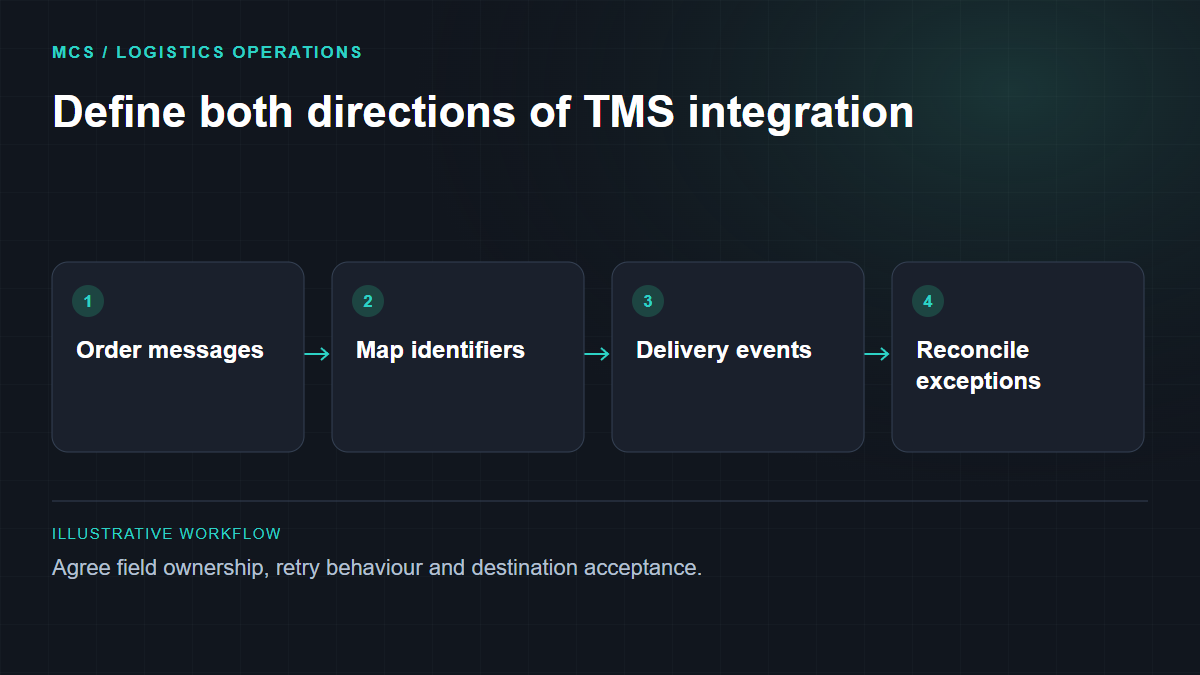
Moving an order into your TMS is only half the handoff. Retailers and customer service also need the right changes and delivery events returned, with a clear process when a message is repeated, rejected or delayed.
Define what two-way means for your operation
List the messages travelling in each direction. Retailer-to-carrier data can include new orders, changes or cancellations. Carrier-to-retailer data can include agreed milestones and delivery outcomes. The exact set depends on the partner interfaces and business rules.
Do not assume a status update gives another system permission to overwrite the order. Define which system owns each field and event, and how conflicting changes should be reviewed.
Confirm the available interfaces
Review the supported API or file interfaces for the relevant account, including permissions, authentication, licensing and operational limits. DispatchTrack publishes API resources, and OnTime 360 publishes developer documentation for its APIs. Those resources inform discovery; they do not establish that every requested integration is available in every account.
Confirm access with the platform and account owners before committing to a rollout plan. Record the identifiers and interface versions used in the implementation so support can identify later changes.
Agree mappings for the whole order lifecycle
Map retailer references, carrier references, addresses, contact fields, item lines and service requirements. Define how the relationship between a retailer order and a TMS job is preserved through edits, partial work and returns.
Then map the events that need to travel back. A scheduled window, an estimated arrival and a completed delivery are different facts. Use the destination’s agreed definitions rather than assuming similar-looking status labels mean the same thing.
Design retries and duplicate handling together
An interface timeout does not always mean the destination did nothing. Repeating a message without a consistent identifier can create duplicate jobs or misleading histories. The design should establish how a transaction is identified, checked, retried and reconciled.
Route rejected or ambiguous records to an operationally useful exception queue. Give the team the order reference, reason and next action, with diagnostic detail available to the support owner.
Prove the handoff before broad rollout
Test a clean order, an amended address, a cancellation, an unsuccessful delivery, a repeated message and an unavailable destination. Confirm what each system stores and which team sees the exception. The test should include the operational users who rely on the data.
MCS scopes TrackOps and TMS integration around these relationships. A successful pilot should produce a documented mapping, acceptance record and support process, not simply a demonstration that one order can be imported.
Handle a repeated order without creating a second job
Illustrative workflow: a retailer sends an order, but the sending system does not receive a clear response. Before retrying, the integration checks the agreed transaction and order identifiers so the existing result can be reconciled.
If the destination cannot confirm what happened, the record enters an exception process with the order reference and next action. The design then tests how a later address change or cancellation reaches the same job, preserving the relationship across the lifecycle.
What to measure
Track duplicate jobs, rejected messages, reconciliation tasks and the age of failed status updates. Separate transport success from the destination accepting the intended business change.
Two-way integration acceptance checks
- Confirm API or file access for the actual accounts.
- Document field and event ownership.
- Preserve references across order changes.
- Test repeated, rejected and interrupted submissions.
- Agree monitoring, escalation and mapping-maintenance responsibility.
Common questions
Can MCS evaluate DispatchTrack and OnTime 360 integrations?
Yes. The scope depends on the current interfaces, account permissions and operational requirements. Compatibility and supported workflows are confirmed during discovery and testing.
Should every status be synchronized both ways?
No. Only synchronize the data required for the agreed workflow, with a clear source of truth and destination meaning. Unnecessary bidirectional updates can create conflicts.
Plan your next step
Bring representative messages and the TMS account details relevant to the workflow. MCS can help define mappings, access dependencies and an acceptance plan.
Related guides and services
- Explore TMS integration services
- Explore MCS retailer and TMS integration
- Review connected order, inventory and billing workflows