
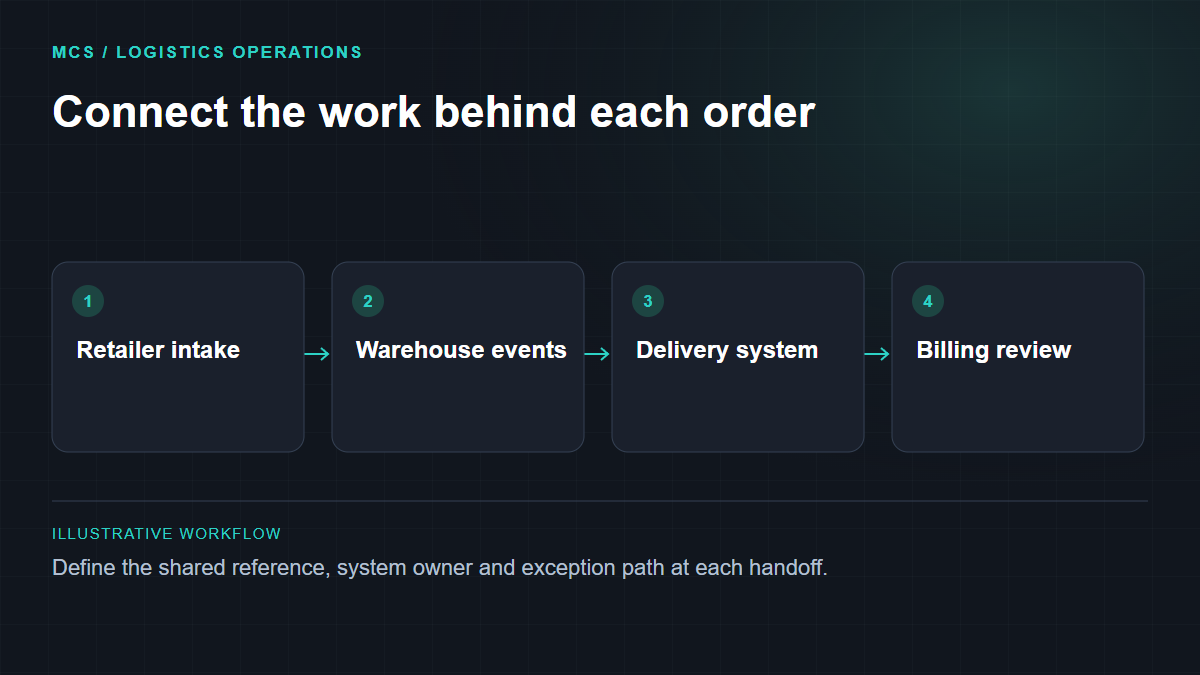
Your team should be able to follow an order without rebuilding its history in every system. When retailer intake, warehouse records, dispatch and billing disagree, choose the handoff causing the most repeat work and define what each team needs to receive.
Map one order from intake to payment review
Follow a representative order through the retailer, internal tools, warehouse, delivery system and finance process. Record the identifiers, required fields and person responsible at each handoff. Include changes, cancellations and unsuccessful deliveries rather than drawing only the ideal path.
This exercise often reveals that the problem is not missing software. It may be an unclear status definition, an unreliable reference or a responsibility that nobody has explicitly accepted. Those issues need to be addressed before adding an integration.
Separate system responsibilities
Define which system owns the order, item movement, route planning, customer update, invoice and payment status. Two applications can legitimately hold related information, but they should not silently compete to define the same fact.
For example, a delivery event may originate in the TMS while billing uses it only after evidence checks. A warehouse scan can confirm receipt without proving a completed delivery. Making these distinctions explicit reduces avoidable reconciliation.
Prioritize the handoff with the clearest value
Choose a workflow with repeated manual effort, accessible source information and an owner who can validate the result. Retailer order intake, delivery-status updates or completed-order billing can be practical starting points when the requirements are understood.
Avoid treating a broad promise of total automation as the first milestone. A defined improvement makes it easier to test the result and decide whether the approach should extend to other retailers or locations.
Design the integration for ordinary failure
Messages can be incomplete, repeated, late or rejected. Agree how the workflow detects those conditions, what can be retried and which records require human review. An exception queue should explain the problem and the next action rather than simply display a technical error.
Include logging and support responsibilities in the implementation scope. A workflow that works during a demonstration still needs someone accountable when a partner changes a field, an account loses permission or a destination becomes unavailable.
Use reporting to support decisions
Start with questions the team needs to answer: which orders are missing required data, which items are not ready to load, which status updates failed and which invoices need review? Connect each view to an owner and an action.
Track defined measures over a consistent period. Useful indicators include repeated data entry, exception age, incomplete evidence and invoice corrections. Improvements should be assessed using your operation’s baseline, not an assumed percentage or a generic industry promise.
Trace a completed order into billing
Illustrative workflow: dispatch marks a stop completed, but finance still needs an approved service record before preparing the invoice. The workflow maps the shared order reference, completion event and evidence required by the billing process.
An incomplete record creates a review task for the appropriate owner. A reviewed record can proceed to the next agreed stage. This approach makes the handoff testable without replacing every application or treating a completion status as approval of every charge.
What to measure
Measure repeat data entry, incomplete handoffs, exception age and invoice corrections for the selected workflow. Establish the baseline before setting a target or deciding whether to extend the pilot.
A manageable first integration scope
- One defined retailer or operational workflow.
- A shared identifier and agreed field mappings.
- Named source and destination owners.
- Acceptance tests covering changes and failure cases.
- A support process and a measured baseline.
Common questions
Where does TrackOps fit?
TrackOps can provide connected operational workflows and visibility around your existing carrier systems. Its role and the data exchanged with each system are defined during discovery.
Should we integrate everything at once?
A phased scope is usually easier to validate. Start where the requirements and operational value are clearest, then extend the approach using what the pilot demonstrates.
Plan your next step
Choose the handoff your team repeats most often. Bring the systems involved and a representative order to MCS so we can discuss dependencies and a practical starting scope.