
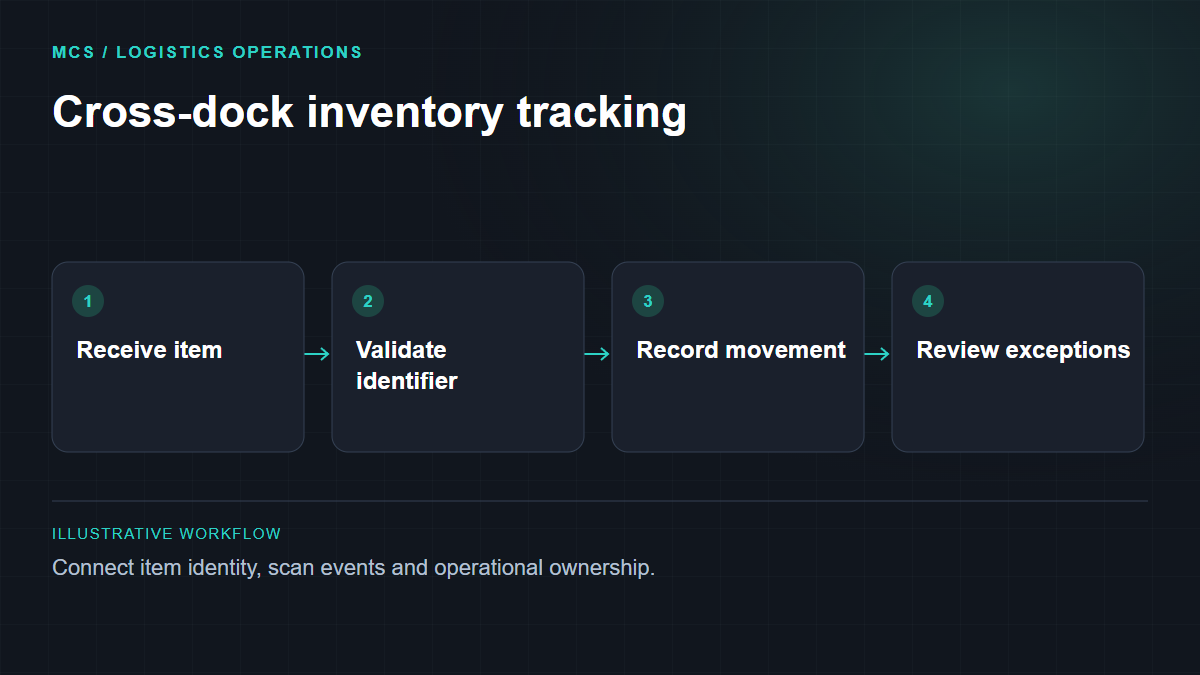
A warehouse scan only helps dispatch when it identifies the right item and the movement that actually occurred. If your team still has to search across labels, spreadsheets and order screens, start by connecting item identity to receipt, loading and return events.
Choose an item identity that survives every handoff
Retailer order numbers, manufacturer serial numbers, pallet IDs and carrier labels serve different purposes. Define which identifier represents the physical item and how it relates to the order line. A serial number may be useful, but it should not be assumed to be globally unique across every supplier or product family.
Keep services such as assembly and haul-away out of inventory-item matching. Document how the system handles multiple pieces, missing labels, replacement labels and orders that arrive before the item record is available.
Map the information before the truck arrives
Review representative retailer files and label examples. Map the expected item references and quantities, then test whether operators can find the right record from the labels actually presented at the dock. A format that looks consistent in a spreadsheet may be harder to scan on wrapped or damaged packaging.
Define a lookup and exception process for an unreadable or unknown code. Relabelling should preserve the relationship to the original reference, and the operator should be able to tell whether an item is unmatched, duplicated or already received.
Capture movement events with operational meaning
Agree what received, staged, assigned, loaded, returned and released mean in your process. Record the item, event time, location and responsible user or device where appropriate. Do not use a single status to imply several unconfirmed movements.
A load scan should confirm the intended vehicle, route or handoff, not just that a barcode was read. A return should distinguish a product back at the warehouse from an item approved for onward return to the vendor.
Validate scanner and connectivity requirements
Test the supported barcode types, cameras or scanning hardware, lighting, label condition and warehouse connectivity. Device compatibility must be established for the chosen application; a generic Android or iOS label is not evidence that every scanner or barcode is supported.
If offline operation is required, agree how events are queued, identified, synchronized and reconciled. Conflicting events and repeated submissions need explicit rules so reconnecting a device does not create an unreliable movement history.
Connect the event to the teams that need it
Decide which events should update the TMS, retailer or customer-facing tracking experience. Map each destination’s status definitions and identifiers rather than sending every internal warehouse movement as a customer notification.
Give warehouse leads a view of unmatched items and loading exceptions. Give dispatch a consistent readiness view. Customer service needs enough context to answer a question without interpreting raw scan logs. These are different views of the same event history.
Pilot the difficult cases, not only a clean scan
Use one inbound lane or retailer to test normal receipt, duplicate scans, partial orders, wrong-route loading, unreadable labels and returns. Include the operators who will work with the system. Compare defined measures such as unmatched-item count, search effort and loading exceptions before extending the workflow.
The point of a pilot is to find the operational gaps while the scope is manageable. A successful demonstration with one undamaged label should not be treated as proof that every retailer, device or exception is ready.
Catch a wrong-load scan before the item leaves
Illustrative workflow: a warehouse operator scans an item for loading, but the assigned load does not match the item record. The workflow shows the mismatch and identifies who can review the assignment; it does not quietly treat the scan as successful loading.
A corrected assignment or authorized override leaves an event history linked to the item and order. Dispatch can then work from the reviewed movement record. The exact behaviour depends on the scanning software, identifiers and rules included in the implementation.
What to measure
Track unmatched items, wrong-load exceptions, repeated scans and the effort needed to locate an item. Compare receipt, loading and return stages separately so the team can see where the process needs attention.
Cross-dock tracking design checklist
- Document item identity and retailer-reference relationships.
- Separate physical items from service lines.
- Test the actual labels, devices and connectivity.
- Define receipt, load and return events separately.
- Assign owners for unmatched items and synchronization exceptions.
Common questions
Can we use our existing scanners?
Possibly. Test the hardware, operating system, barcode types and application interface in the actual warehouse environment before confirming compatibility.
Does real-time mean every system updates instantly?
No. Capture time, connectivity, processing and destination availability affect when an event becomes visible. Define the expected behaviour and how delayed or failed updates are handled.
Plan your next step
Bring a sample label, an order file and one item movement that is difficult to trace. MCS can help define the identifiers, scan events and device checks for a focused pilot.